 excalix
The spec reference
A spec says what exists and what talks to what. It has no coordinates, colours or sizes in it, because excalix picks every one of those from the kind of each node.
The shape of a spec
One JSON object. Only nodes is required, and it needs at least one entry.
| field | what it holds |
|---|---|
title | Heading drawn above the diagram. |
direction | Which way the diagram flows: lr, left to right (the default), or tb, top to bottom. |
groups | Boundaries drawn around nodes, such as a VPC, a cluster or an account. They nest through parent. |
nodes | Every box in the diagram, in reading order. |
edges | Every arrow in the diagram. |
Ids are letters, digits, _ and -. Nodes and groups share one namespace, so no node may reuse a group's id. Any key the schema does not list is rejected rather than ignored.
Groups
A group has an id, a label drawn inside its top-left corner, and an optional parent: the id of the group it nests inside. The order pipeline on the home page puts an EKS cluster inside an AWS region this way:
"groups": [
  { "id": "aws", "label": "AWS eu-north-1" },
  { "id": "k8s", "label": "EKS", "parent": "aws" }
]
A node sits in at most one group, and node.group takes a single id. A component that really does sit on two networks goes in the group it runs in, and an edge crossing the boundary carries the other relationship. Pass an array and validation says so:
nodes[0].group: got an array, expected one group id: a node sits in exactly one group, so name the one it runs in and let an edge across the boundary carry the other relationshipNodes and kinds
A node has an id, a label drawn inside the box, a kind, and optionally a group. The kind fixes the shape and colour, and there are six of them. Here is every kind in one diagram, with a group and both edge styles:
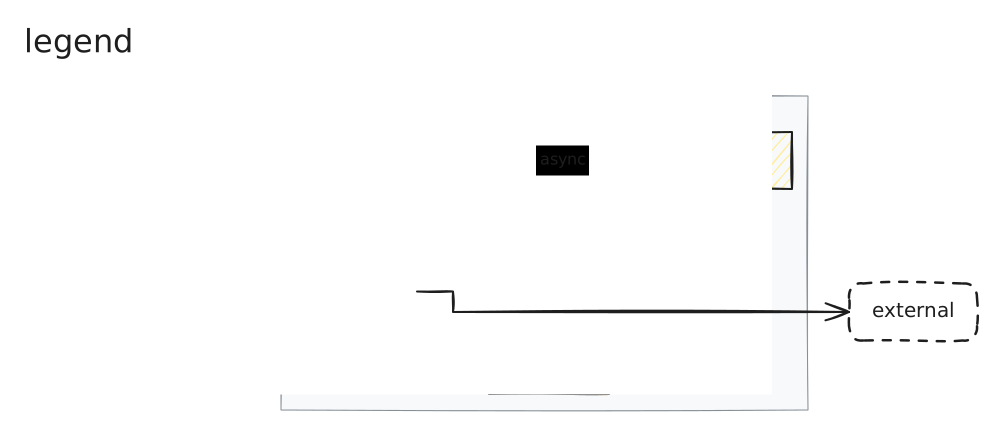
| kind | use it for |
|---|---|
client | Whoever initiates requests: people, browsers, mobile apps. |
service | Anything you run or configure yourself, an app or a load balancer alike. |
datastore | A database or durable storage. |
queue | A queue, topic or stream. |
cache | A cache or in-memory store. |
external | A system another company operates and you only call. |
The line between service and external is who operates the thing, not who wrote it. Load balancers, CDNs, API gateways and DNS inside your own boundary are services, because you configure them. A payment API, a hosted identity provider or an email sender is external: another company runs it and you only call it.
Edges
An edge needs from and to, both node ids. Three fields are optional:
| field | values |
|---|---|
style | sync (default) for request and response, drawn solid. async for a message or event, drawn dashed. |
arrows | forward (default) puts one head at the target, both one at each end, none draws a plain association. |
label | Text drawn on the arrow, a few words at most. |
{ "from": "web", "to": "api", "label": "POST /orders" },
{ "from": "api", "to": "redis", "arrows": "both" },
{ "from": "api", "to": "q", "style": "async" }
A \n in any label, node, group or edge, starts a new line. An edge from a node back to itself is allowed, and so are two edges between the same pair; each draws as its own arrow. A label on a self edge costs more than it looks, though: the node grows until the loop is long enough to carry the text, so give that one a single word or leave it bare.
Validation
excalix checks the whole spec before it draws anything and reports every problem in one pass. Each line names the path, what arrived, and what would have been valid. This spec has two mistakes:
{
  "nodes": [
    { "id": "cdn", "label": "CloudFront", "kind": "gateway" },
    { "id": "api", "label": "Order API", "kind": "service" }
  ],
  "edges": [{ "from": "cdn", "to": "apy" }]
}nodes[0].kind: got "gateway", expected one of "client", "service", "datastore", "queue", "cache", "external"
edges[0].to: unknown node "apy", did you mean "api"?There is no gateway kind. CloudFront is infrastructure you configure inside your own boundary, so it is a service. The edge points at an id nothing defines, and the suggestion says which one was meant. With both fixed the command prints ok: 2 nodes, 1 edge, 0 groups and exits 0.
The other checks read the same way:
nodes[1].id: duplicate id "api", expected an id no other node or group uses
nodes[1].label: got "", expected text
edges[0]: unknown key "colour", expected one of "from", "to", "label", "style", "arrows"
edges[0].to: "vpc" is a group, expected a node
groups[0].parent: "b" closes the cycle a -> b -> a
The MCP tool returns the same lines, so an agent gets the full list in one round trip. Run excalix validate to check a spec without rendering it.
Writing a spec that lays out well
Nothing visual is configurable, so when a diagram reads wrong the fix is in the spec. These are the levers that move it.
List nodes in reading order
Sources first. Order places siblings relative to one another and does nothing more than that; it will not move an arrow onto a different route. When a route is what you want changed, the levers are the direction of the edge itself, which nodes share a group, and direction.
Keep edge labels short
A label sits on its arrow and reserves that much width, so a sentence on one edge pushes the whole diagram wide. A few words is plenty. When a node name is genuinely long, a \n breaks it.
Stay near twenty nodes
Twenty nodes is roughly the ceiling for one picture, and a dozen boxes in a single run reaches it sooner, since a chain stretches one way and stays thin the other. A long chain reads better as lr and a deep hierarchy as tb, so try direction first.
When direction is not the problem, make two diagrams: an overview that collapses each region to one node, then a detail diagram of the part under discussion. Once the longest side of the image passes 6000 pixels, rendering says so:
note: 9578x2101 px, too big to read once it is scaled down. Split it into an overview and a detail diagram, or shorten the longest labels.Then look at it
Open the PNG and check for labels that collide with a box or another label, arrows that cross more than the topology forces them to, and a flow that reads backwards, with sources on the right and sinks on the left. Flip direction, group nodes that belong together, shorten a label or drop an edge that carries no information, then render again.
The JSON Schema
npx -y excalix schema prints the full JSON Schema of the spec, with a description on every field. Point an editor at it for completion, or hand it to a model along with this page. The MCP tool's input schema is the same shape plus one field, out, described on the MCP server page.